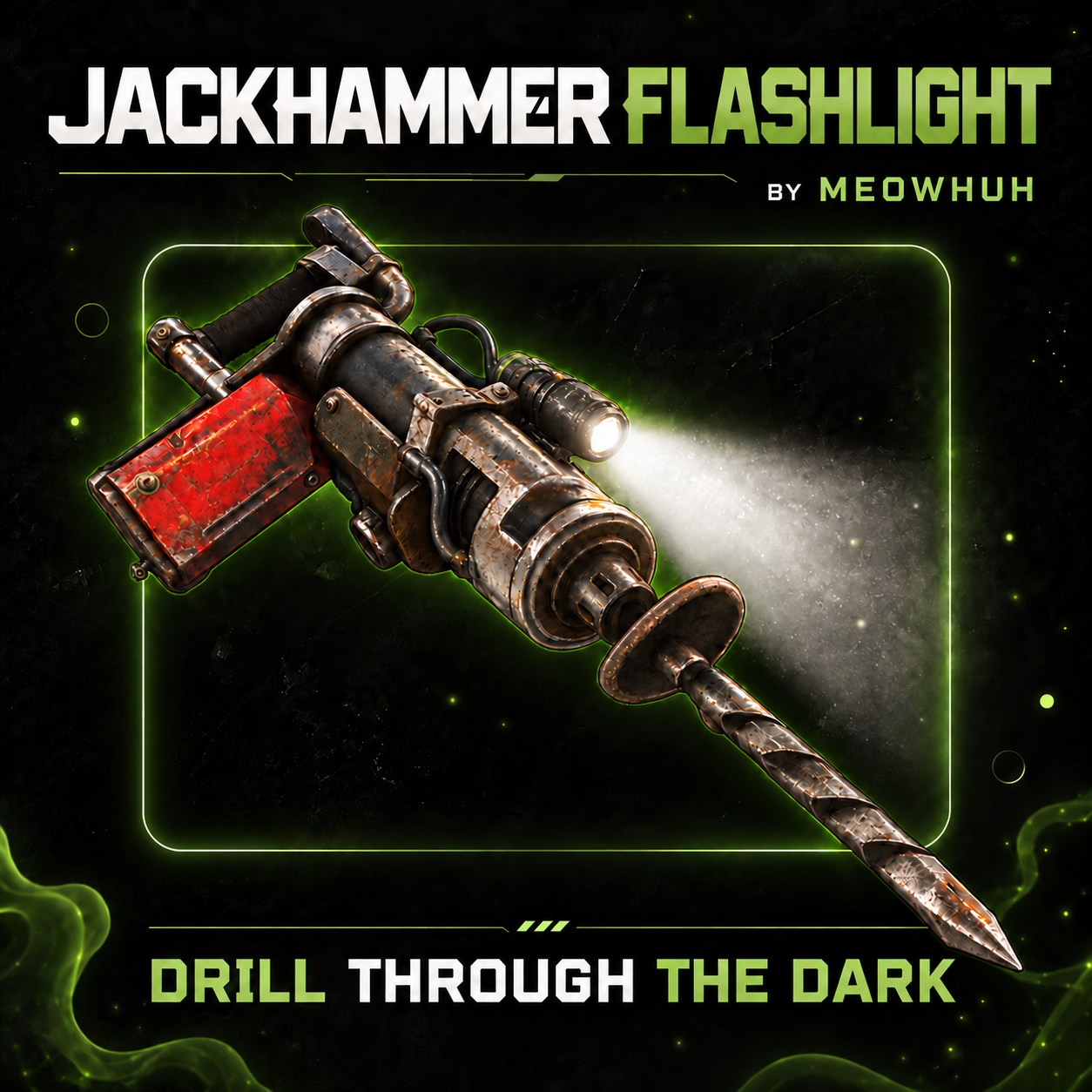
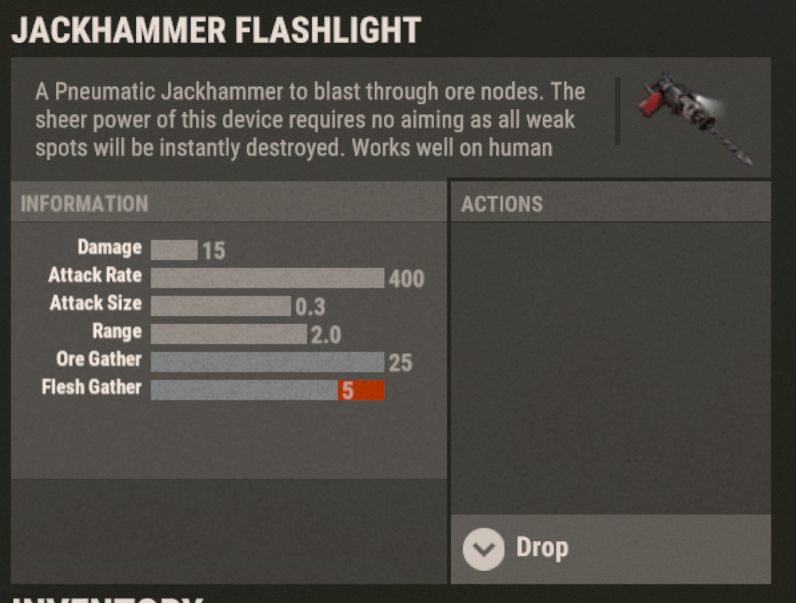
Add a fully functional flashlight to jackhammers in Rust.
Mining in dark caves or at night should not mean constantly switching between your jackhammer and a separate light source.
JackhammerFlashlight adds a toggleable flashlight to jackhammers, allowing players to mine while illuminating the area in front of them. Players can turn the flashlight on or off using the normal Rust flashlight key or simple chat commands, while server owners can configure battery duration, multiple recharge methods, replaceable batteries, support for normal jackhammers, custom item skins, loot container drops, and optional battery status displays.
Perfect for PvE, PvP, Vanilla+, modded, survival, mining, and custom progression Rust servers.
 Features
 Flashlight Controls
Players can control their jackhammer flashlight using the regular Rust flashlight key or chat commands.
 Battery System
JackhammerFlashlight includes a configurable battery system that allows server owners to control how long flashlights can remain active and how players restore their charge.
 Recharge System
JackhammerFlashlight includes multiple configurable recharge methods, allowing server owners to choose how players restore their flashlight batteries.
Recharge methods can be enabled or disabled separately.
 Item Recharge
Players can recharge their flashlight battery using configurable Rust items.
 Automatic Recharge
Automatically restore battery charge over time without requiring players to use items or commands.
 Workbench Recharge
Allow players to recharge flashlight batteries by staying near Rust Workbenches.
 Recharge Command
The
Replaceable Batteries
JackhammerFlashlight also supports replacing completely empty batteries using configurable Rust items.
 Battery Status Integration
JackhammerFlashlight supports optional integration with SimpleStatus and AdvancedStatus to display battery information while players hold supported jackhammers.
SimpleStatus
AdvancedStatus
 Loot Container Drops
Server owners can optionally configure special Jackhammer Flashlight items to appear inside Rust loot containers.
Multiple loot drop entries can be configured for different loot container types.
Commands
Player flashlight command aliases are fully configurable.
 Admin Commands
Command Examples
 Permissions
No permission is required for normal flashlight controls.
Item-based recharging can be used without the recharge permission when the separate Recharge Command permission requirement is not active.
Rust admins can use
 Example Configuration
 Why Choose JackhammerFlashlight?
Mining at night or inside dark caves should not require constantly switching between your tools and a separate light source.
JackhammerFlashlight combines a practical, aim-following flashlight, simple controls, configurable battery duration, multiple recharge methods, replaceable batteries, optional battery status integration, customizable jackhammer items, and loot container drops in one focused plugin.
Whether you want unlimited flashlights for everyday mining, rechargeable batteries that consume resources, automatic charging near workbenches, or replaceable batteries for custom progression, JackhammerFlashlight gives server owners full control over how players use and maintain their mining lights
Mining in dark caves or at night should not mean constantly switching between your jackhammer and a separate light source.
JackhammerFlashlight adds a toggleable flashlight to jackhammers, allowing players to mine while illuminating the area in front of them. Players can turn the flashlight on or off using the normal Rust flashlight key or simple chat commands, while server owners can configure battery duration, multiple recharge methods, replaceable batteries, support for normal jackhammers, custom item skins, loot container drops, and optional battery status displays.
Perfect for PvE, PvP, Vanilla+, modded, survival, mining, and custom progression Rust servers.
Features- Adds a fully functional flashlight to supported jackhammers.
- Players can toggle the flashlight using the normal Rust flashlight key (
F). - Chat commands to toggle the flashlight, turn it on or off, and check battery charge.
- Flashlight follows the player's aim direction while holding the jackhammer.
- Special Jackhammer Flashlight item with a configurable display name and skin ID.
- Optional support for enabling flashlights on normal Rust jackhammers.
- Configurable battery duration with support for unlimited battery life.
- Battery charge decreases automatically while the flashlight is enabled.
- Battery consumption pauses when the flashlight is turned off.
- Remaining battery charge is preserved when the player switches items or puts the jackhammer away.
- Flashlight automatically turns off when its battery runs out.
- Players can check their remaining battery charge using a chat command.
- Recharge batteries using configurable Rust items and resource costs.
- Configure multiple recharge items with separate amounts, skin IDs, and charge percentages.
- Optional automatic battery recharging with configurable charge percentage per minute.
- Optional workbench recharging with separate rates for Level 1, Level 2, and Level 3 Workbenches.
- Configurable workbench recharge radius.
- Recharge batteries using
/jf rechargewith optional item selection. - Optional recharge command cooldown, permission requirement, and item cost settings.
- Optional free recharge command with a configurable charge percentage.
- Replace empty batteries using configurable Rust items.
- Optional automatic battery replacement when the flashlight runs out of charge.
- Battery capacity is preserved separately from remaining charge to support recharging.
- Configurable fallback battery capacity for older jackhammers.
- Optional SimpleStatus integration to display battery information while holding the jackhammer.
- Optional AdvancedStatus integration with battery countdown support.
- Battery display supports remaining time, paused charge, unlimited battery, and empty battery states.
- Configurable command aliases for player flashlight controls.
- Admin command to give special Jackhammer Flashlight items to online players.
- Supports giving multiple jackhammers with a single command.
- Admins can specify a custom battery duration when giving jackhammers.
- Optional automatic Jackhammer Flashlight drops from configured loot containers.
- Configurable loot container prefabs, drop chances, and minimum/maximum item amounts.
- Separate battery duration overrides for individual loot drop configurations.
- Automatically restores active flashlight functionality when players equip supported jackhammers.
- English and Russian plugin messages included.
Flashlight ControlsPlayers can control their jackhammer flashlight using the regular Rust flashlight key or chat commands.
| Control | Description |
|---|---|
| F Key | Toggles the flashlight on or off while holding a supported jackhammer. |
| /jf | Toggles the flashlight on or off. |
| /jf on | Turns the flashlight on. |
| /jf off | Turns the flashlight off. |
| /jf battery | Shows the remaining battery charge. |
| /jf recharge | Recharges the battery using the configured recharge settings. |
| /jf recharge <item shortname> | Attempts to recharge using a matching configured item. |
| /jf replace | Replaces an empty battery using the configured replacement item. |
Battery SystemJackhammerFlashlight includes a configurable battery system that allows server owners to control how long flashlights can remain active and how players restore their charge.
| Battery Setting | Description |
|---|---|
| Unlimited Battery | Flashlight can remain enabled without running out of charge. |
| Limited Battery | Flashlight operates for the configured number of seconds. |
| Battery Pause | Battery consumption stops when the flashlight is turned off. |
| Battery Depletion | Flashlight automatically turns off when its remaining charge reaches zero. |
| Battery Capacity | Stores the maximum charge separately from the remaining battery time. |
| Battery Recharge | Restores charge through enabled recharge methods without exceeding maximum capacity. |
| Battery Status | Players can check their remaining charge using /jf battery. |
Recharge SystemJackhammerFlashlight includes multiple configurable recharge methods, allowing server owners to choose how players restore their flashlight batteries.
| Recharge Method | Description |
|---|---|
| Item Recharge | Consume configured Rust items to restore a percentage of battery capacity. |
| Automatic Recharge | Gradually recharge batteries over time while the flashlight is off. |
| Workbench Recharge | Recharge batteries near Workbenches with configurable rates for each level. |
| Recharge Command | Configure command-based recharging with optional permissions, cooldowns, and item requirements. |
| Replaceable Batteries | Consume a configured item to replace a completely empty battery. |
| Automatic Replacement | Automatically replace an empty battery when the required replacement item is available. |
Recharge methods can be enabled or disabled separately.
Item RechargePlayers can recharge their flashlight battery using configurable Rust items.
- Configure one or multiple items that can be used for recharging.
- Set a separate item amount for each recharge option.
- Configure how much battery capacity each item restores.
- Optional skin ID requirements for recharge items.
- Players can recharge using
/jf recharge. - Players can specify a recharge item using
/jf recharge <item shortname>. - Required items are consumed from the player's inventory.
- Recharging cannot exceed the battery's maximum capacity.
Automatic RechargeAutomatically restore battery charge over time without requiring players to use items or commands.
- Enable or disable automatic recharging.
- Configure the battery percentage restored per minute.
- Recharges supported jackhammers in the player's inventory.
- Only recharges batteries while their flashlight is turned off.
- Stops automatically when the battery reaches full capacity.
- Recharging is processed at regular intervals.
Workbench RechargeAllow players to recharge flashlight batteries by staying near Rust Workbenches.
| Workbench | Default Recharge Rate |
|---|---|
| Level 1 Workbench | 20% battery capacity per minute. |
| Level 2 Workbench | 40% battery capacity per minute. |
| Level 3 Workbench | 60% battery capacity per minute. |
- Enable or disable workbench recharging.
- Configure the maximum recharge distance.
- Set separate charging rates for each workbench level.
- Supports deployed Workbenches and supported static Workbenches.
- Recharges eligible jackhammers in the player's inventory while their flashlight is off.
- Uses the highest available recharge rate when multiple workbenches or automatic recharge apply.
- Automatically stops charging when the battery is full.
Recharge CommandThe
/jf recharge command lets players restore battery charge using the enabled recharge settings.- Recharge the jackhammer currently held by the player.
- Optional permission requirement using
jackhammerflashlight.recharge. - Configurable recharge command cooldown.
- Choose whether recharge command usage requires items.
- Configure the recharge percentage when item costs are not required.
- Supports selecting a specific configured recharge item.
- Prevents recharging while the flashlight is turned on.
- Prevents recharging batteries that are already full or have unlimited charge.
Replaceable BatteriesJackhammerFlashlight also supports replacing completely empty batteries using configurable Rust items.
- Enable or disable battery replacement.
- Configure which Rust item is required for replacement.
- Set the number of items consumed per replacement.
- Optional skin ID requirement for replacement items.
- Players can manually replace an empty battery using
/jf replace. - Replacing a battery restores its full configured capacity.
- Optional automatic battery replacement when the flashlight runs out.
- Automatic replacement can restore the light without requiring the player to manually run a command.
Battery Status IntegrationJackhammerFlashlight supports optional integration with SimpleStatus and AdvancedStatus to display battery information while players hold supported jackhammers.
SimpleStatus
- Displays battery information while holding a supported jackhammer.
- Shows a countdown when the flashlight is running on limited battery.
- Displays the remaining charge when the flashlight is turned off.
- Supports unlimited and depleted battery states.
- Updates when the battery is recharged or replaced while the jackhammer is held.
AdvancedStatus
- Displays battery information using an AdvancedStatus bar.
- Supports a countdown for remaining battery duration.
- Updates the battery display depending on whether the flashlight is enabled or disabled.
- Reflects battery changes after recharging or replacement.
- Automatically removes the status when the player stops holding the supported jackhammer.
Loot Container DropsServer owners can optionally configure special Jackhammer Flashlight items to appear inside Rust loot containers.
| Setting | Description |
|---|---|
| Enabled | Enables or disables the configured loot drop entry. |
| Prefab | Specifies the loot container prefab. |
| Chance | Sets the chance of adding Jackhammer Flashlight items to the container. |
| Min Amount | Minimum number of jackhammers added when the drop succeeds. |
| Max Amount | Maximum number of jackhammers added when the drop succeeds. |
| Battery Duration | Sets a custom battery duration for jackhammers generated by this entry. |
Multiple loot drop entries can be configured for different loot container types.
Commands/jf - Toggles the flashlight on or off while holding a supported jackhammer./jf on - Turns the flashlight on./jf off - Turns the flashlight off./jf battery - Shows the remaining battery charge./jf recharge - Recharges the currently held jackhammer using the configured recharge method./jf recharge <item shortname> - Recharges using a matching configured recharge item./jf replace - Replaces the empty battery using the configured replacement item.Player flashlight command aliases are fully configurable.
Admin Commands/jfgive <player name or Steam ID> - Gives one Jackhammer Flashlight to the selected online player./jfgive <player name or Steam ID> <amount> - Gives the specified number of Jackhammer Flashlights./jfgive <player name or Steam ID> <amount> <battery seconds> - Gives Jackhammer Flashlights with a custom battery duration.Command Examples
Код:
/jfgive PlayerName
/jfgive PlayerName 5
/jfgive "Player Name" 3
/jfgive PlayerName 1 600
/jfgive PlayerName 2 0jackhammerflashlight.give - Allows non-admin players to use /jfgive to give Jackhammer Flashlight items to online players.jackhammerflashlight.recharge - Required to use /jf recharge when Recharge Command is enabled and its permission requirement is enabled.No permission is required for normal flashlight controls.
Item-based recharging can be used without the recharge permission when the separate Recharge Command permission requirement is not active.
Rust admins can use
/jfgive without being granted the give permission separately. Example Configuration
JSON:
{
  "Commands": [
    "jf"
  ],
  "Enable Flashlight on Normal Jackhammers": false,
  "Item Name": "Jackhammer Flashlight",
  "Skin ID": 0,
  "Battery Duration (seconds, 0 = unlimited)": 0.0,
  "Recharge Settings": {
    "Enabled": true,
    "Fallback Capacity for Legacy Batteries (seconds)": 300.0,
    "Item Recharge": {
      "Enabled": true,
      "Items": [
        {
          "Item Shortname": "lowgradefuel",
          "Skin ID (0 = any)": 0,
          "Amount": 10,
          "Charge Percent": 50.0
        }
      ]
    },
    "Automatic Recharge": {
      "Enabled": false,
      "Charge Percent per Minute": 20.0
    },
    "Workbench Recharge": {
      "Enabled": false,
      "Radius (meters)": 3.0,
      "Level 1 Charge Percent per Minute": 20.0,
      "Level 2 Charge Percent per Minute": 40.0,
      "Level 3 Charge Percent per Minute": 60.0
    },
    "Recharge Command": {
      "Enabled": false,
      "Require Permission (jackhammerflashlight.recharge)": false,
      "Cooldown (seconds, 0 = none)": 60.0,
      "Require Items": true,
      "Charge Percent without Items": 100.0
    },
    "Replaceable Batteries": {
      "Enabled": false,
      "Automatically Replace When Empty": false,
      "Item Shortname": "weapon.mod.flashlight",
      "Skin ID (0 = any)": 0,
      "Amount": 1
    }
  },
  "[SimpleStatus] Show Battery While Holding": false,
  "[AdvancedStatus] Show Battery While Holding": false,
  "Drop Settings": [
    {
      "Enabled": false,
      "Prefab": "assets/bundled/prefabs/radtown/crate_normal.prefab",
      "Chance": 10,
      "Min Amount": 1,
      "Max Amount": 1,
      "Battery Duration (seconds, -1 = use default, 0 = unlimited)": -1.0
    }
  ],
  "Config Version": {
    "Major": 1,
    "Minor": 0,
    "Patch": 1
  }
}Mining at night or inside dark caves should not require constantly switching between your tools and a separate light source.
JackhammerFlashlight combines a practical, aim-following flashlight, simple controls, configurable battery duration, multiple recharge methods, replaceable batteries, optional battery status integration, customizable jackhammer items, and loot container drops in one focused plugin.
Whether you want unlimited flashlights for everyday mining, rechargeable batteries that consume resources, automatic charging near workbenches, or replaceable batteries for custom progression, JackhammerFlashlight gives server owners full control over how players use and maintain their mining lights